

When WooCommerce Is No Longer Enough and You Need a Custom Laravel Solution
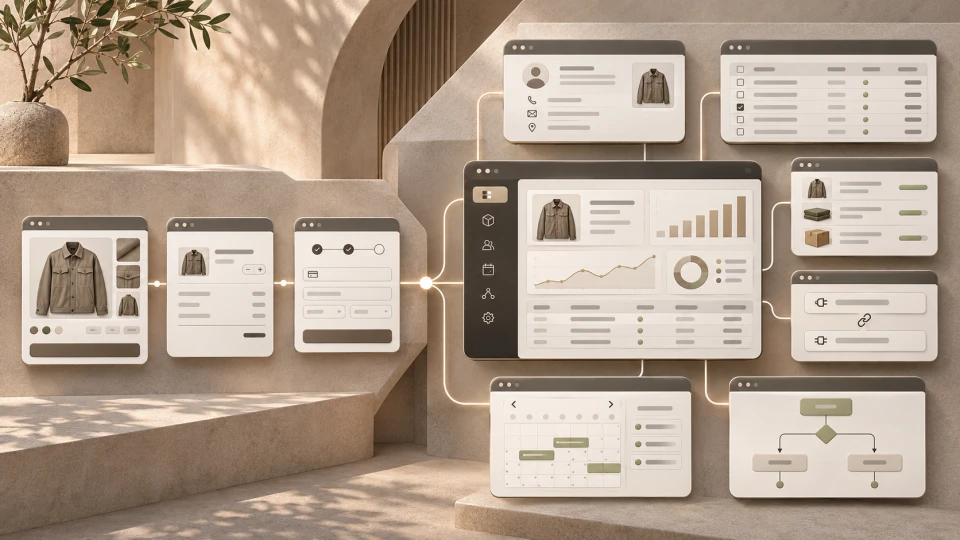
Custom Laravel development becomes relevant when the WooCommerce architecture starts to limit a company's business processes, the development of new features or the system's further growth. It's worth considering a platform change when more and more functionality has to be custom-coded, the buying process no longer fits the standard e-commerce model, or data exchange between several business systems becomes hard to manage.
Four main signs that WooCommerce is starting to become a limitation:
- the core business logic is already implemented with custom-coded features;
- the order process no longer follows the classic product → cart → payment flow;
- complex data flows between several systems are becoming hard to manage;
- new features are getting harder to add without affecting the rest of the system.
However, a large number of products, visitors or orders does not by itself mean WooCommerce has to be replaced. In many cases, the existing platform can be successfully optimised and developed further.
~ 15min
25/11/2026
WooCommerce isn't a problem just because the store is large
One of the most common assumptions is that a large number of products or orders automatically means WooCommerce is no longer suitable.
In practice, it's not that simple.
WooCommerce can be optimised at the level of infrastructure, database, caching, custom code and integrations. For storing order data, WooCommerce also uses High-Performance Order Storage, or HPOS, which keeps order information in dedicated database tables and allows it to be processed more efficiently.
You can read more about HPOS in the official WooCommerce documentation.
That's why, before changing platforms, you first need to find out what is actually causing the problem.
If the store is slow, the cause may be:
- insufficient server resources;
- a poorly optimised database;
- low-quality or unnecessary plugins;
- a heavy theme;
- unoptimised custom code;
- complex integrations;
- background processes and data synchronisation.
Problems like these don't always have to be solved by changing the whole platform. Sometimes it makes far more sense to carry out a technical audit and sort out the existing WooCommerce solution.
The situation changes when the problem is no longer just the store's performance, but the system's structure itself starts to get in the way of how the company wants to work.
4 signs that WooCommerce is starting to limit your business
1. Most of the business logic is already custom-coded
WooCommerce provides a ready-made e-commerce foundation:
products → prices → cart → checkout → payment → order.
If the company's process roughly matches this structure, WooCommerce is a very flexible solution.
The problem arises when almost every link in this chain has to be changed.
For example, the system needs to:
- calculate prices based on several custom parameters;
- apply different product and pricing logic to different customers;
- require additional approval before an order;
- automatically split one order into several processes;
- create several custom order statuses and work stages;
- assign different actions to customers, partners and employees;
- connect the purchase to other company workflows;
- build B2B pricing logic with contract prices, volume tiers and customer groups synced from the ERP;
- run a multi-vendor marketplace with seller accounts, commissions, and split orders and payments.
B2B pricing logic and multi-vendor marketplaces are among the most common cases where requirements outgrow the classic WooCommerce model. Read more about the B2B buying process in What is B2B e-commerce?
Individual features like these can also be built well in WooCommerce.
But if non-standard logic becomes the main part of the system, the question arises whether it still makes sense to adapt the business process to the WooCommerce structure.
In a custom Laravel system, the architecture can be built precisely around the specific company's workflow.
2. The buying process is no longer a classic online store checkout
WooCommerce's starting point is an online store.
The customer chooses a product, adds it to the cart, enters the required information, pays, and an order is created.
But not all digital sales processes work this way.
For example:
the customer chooses a service → enters parameters → the system calculates the price → availability is checked in another system → company approval is required → a contract is generated → the customer pays → a fulfilment task is created.
Or:
a partner submits an order → a manager approves it → the ERP checks stock → an individual price is applied → the order is split across warehouses → documents are generated.
In such cases, e-commerce is still part of the system, but checkout is no longer its central process.
In a project like this, Laravel can give more freedom to build exactly the workflow you need, rather than constantly adapting a ready-made e-commerce model.
3. WooCommerce has become an intermediary between many other systems
A modern online store rarely works in complete isolation.
It may be connected to:
- ERP;
- CRM;
- an accounting system;
- a warehouse;
- logistics systems;
- payment services;
- supplier databases;
- marketplaces;
- customer portals;
- external APIs.
WooCommerce can handle integrations like these too.
But it's important to understand where the centre of the system is.
If WooCommerce mainly receives product information from the ERP, prices from another system, customers from the CRM and availability from the warehouse system, and then passes orders on to yet other platforms, you can end up with an architecture where WooCommerce is effectively just one link in a complex data chain.
The more such processes there are, the more important these questions become:
- data synchronisation;
- error handling;
- API availability;
- the order of data processing;
- background processes;
- background job queues;
- retried requests;
- data validation;
- dependencies between systems.
In this situation, a custom-designed system architecture can be clearer and easier to develop in the long term.
4. Every new feature starts to affect several others
Another sign is not the lack of a particular feature, but how difficult it becomes to change the system.
At first, a WooCommerce store may have:
WooCommerce + payments + delivery.
Then come:
ERP + CRM + B2B prices + several user types + subscriptions + custom statuses + data imports + automation + external APIs.
Each individual addition may be justified.
But after a few years, you can end up with a system where changing one feature affects several others.
Developers then have to spend more and more time investigating and testing existing dependencies, rather than building the new feature.
This is often a far more important signal than the number of plugins itself.
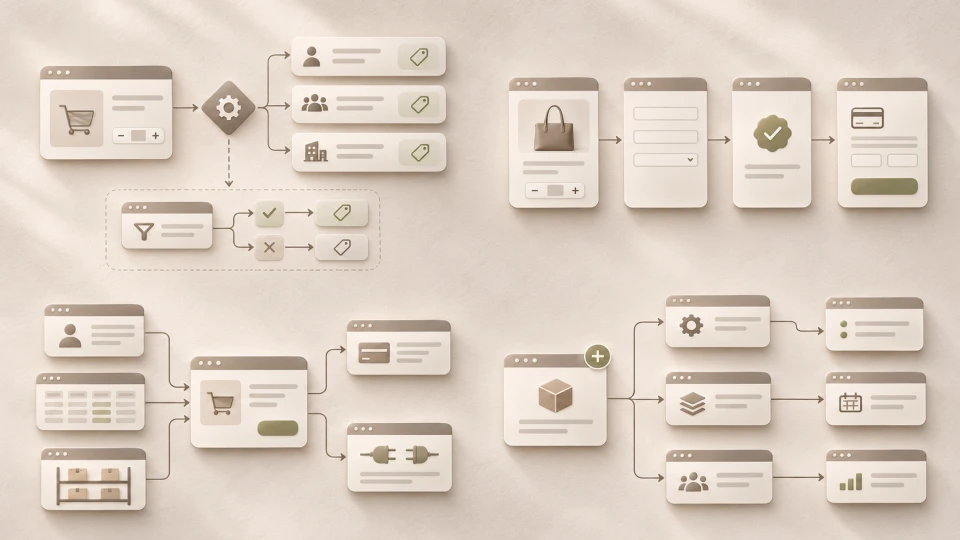
The number of WooCommerce plugins says nothing on its own
20 plugins don't automatically mean a bad online store.
And 5 plugins don't automatically mean a good architecture.
What matters more is:
- what the specific plugins do;
- the quality of their code;
- whether features conflict with each other;
- how heavily the project depends on them;
- whether the plugins are regularly maintained;
- how they affect performance;
- how much custom code is built on top of them.
That's why the decision to move to Laravel shouldn't be made on the basis of "we have too many plugins".
The whole system architecture needs to be assessed.
When should you keep WooCommerce?
In many cases, the right answer will still be - keep WooCommerce and optimise it.
This applies especially when:
- selling products is still at the centre of the system;
- the standard checkout model works;
- the problem is mainly performance;
- the hosting or database needs improving;
- some outdated plugins can be replaced;
- poor-quality custom code needs to be reworked;
- the ERP or CRM integration can be sorted out without changing the whole platform.
WooCommerce's advantage is its ready-made e-commerce ecosystem.
Product management, orders, payments, delivery, discounts and many other features are already available.
Read more about the platform's capabilities in our article What is WooCommerce?
In a custom Laravel project, the required features would have to be developed or integrated separately.
That's exactly why a custom solution should be a well-founded architectural choice, not a technology goal in itself.
WooCommerce vs Laravel - the key differences
WooCommerce and Laravel are not two e-commerce platforms of the same type.
They are two different starting points for development.
WooCommerce: a ready-made e-commerce foundation that is adapted to the company's needs.
Laravel: a development framework on which a system can be built to match a specific business process.
| Criterion | WooCommerce | Laravel |
|---|---|---|
| System foundation | A ready-made e-commerce platform | A custom-built web system |
| Best-fit scenario | Selling products with a relatively classic e-commerce model | Non-standard business processes and complex logic |
| Buying process | Based on product, cart and checkout | Can be built entirely to order |
| Integrations | A wide range of ready-made integrations | Integrations can be built to fit the specific architecture |
| User roles | Can be adapted to the WordPress and WooCommerce model | A custom permissions and roles system can be built |
| Initial investment | Often lower, as core features are already available | Often higher due to custom development |
| Maintenance | Maintaining WordPress, WooCommerce, plugins and custom code | Maintaining the framework, custom code and infrastructure |
| Developing new features | Depends on the existing ecosystem and architecture | Depends on the custom-built architecture |
| Need for migration | The existing system can continue to be developed | Data and functionality transfer must be planned |
If a company is still choosing a ready-made e-commerce platform, our comparison WooCommerce or Shopify may also be useful.
When assessing an investment in a new system, you should look not only at the initial development price, but also at long-term maintenance and development costs. We write more about this in our article on online store development cost.
Does moving to Laravel mean building everything from scratch?
Not necessarily.
Moving from WooCommerce to a custom solution isn't simply "building a new website".
First, you need to assess what needs to be kept from the existing system.
This may include:
- customers;
- products;
- categories;
- order history;
- prices;
- stock data;
- customer groups;
- SEO URLs;
- integrations;
- payment and delivery solutions;
- business rules.
Part of the existing infrastructure can continue to be used after the new system is built.
Depending on the project, a gradual transition is also possible, where the new system initially takes over only certain processes.
Don't forget SEO in a platform migration
When changing e-commerce platforms, it's especially important to preserve the existing website's organic search value.
The migration process should assess:
- product and category URLs;
- 301 redirects;
- metadata;
- structured data;
- internal links;
- indexing settings;
- the XML sitemap;
- Google Search Console configuration;
- analytics and advertising tracking.
A badly executed migration can lead to a situation where the new system technically works better, but the company loses some of the Google visibility it had built up.
That's why technical migration and SEO migration need to be planned together.
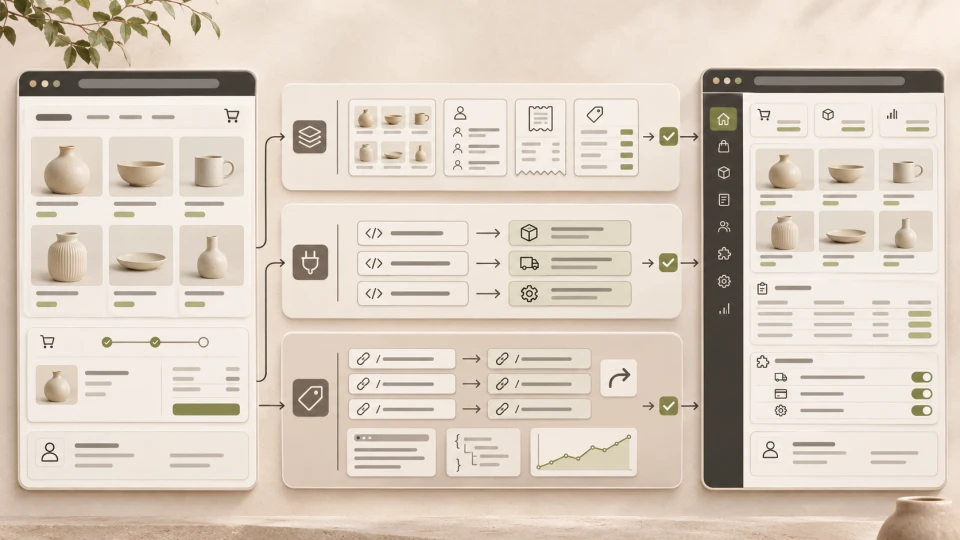
How do you know whether migration is really needed?
Before deciding to change platforms, a technical and business process audit is needed.
It should answer at least four questions.
1. What is causing the problems right now?
Are they performance problems, technical debt, plugins, integrations or the WooCommerce architecture itself?
If the problem can be solved with server optimisation, code refactoring or sorting out integrations, a complete platform change may not be necessary.
2. How much functionality is already custom-built?
If most of the system's value lies in custom-built code, the advantages of a ready-made platform may have become less significant.
It's important to assess not only the number of custom features, but also how critical they are to the company's day-to-day work.
3. How will the system develop over the next few years?
The decision shouldn't be based only on today's situation.
You also need to consider:
- new markets;
- new sales models;
- B2B features;
- automation;
- additional user roles;
- new integrations;
- growing data volumes.
If you already know that in the coming years the system will need several features that differ significantly from classic e-commerce, it's worth taking that into account when choosing the architecture.
4. How much does it cost to maintain the current architecture?
This isn't just about hosting or plugin licences.
You also need to consider:
- development time;
- bug fixing;
- regression testing;
- integration maintenance;
- plugin compatibility;
- how complicated it becomes to introduce each new feature.
Sometimes sorting out the existing WooCommerce system will be significantly more cost-effective than migrating.
In another project, continued customisation may cost more in the long run than a gradual move to a custom architecture.
Real examples: when WooCommerce is enough and when Laravel is needed
In practice, the choice of technology doesn't always depend on the size of the project or the number of integrations.
What matters more is the role the specific system has to play in the company's business.
Complex integrations don't always mean changing platforms
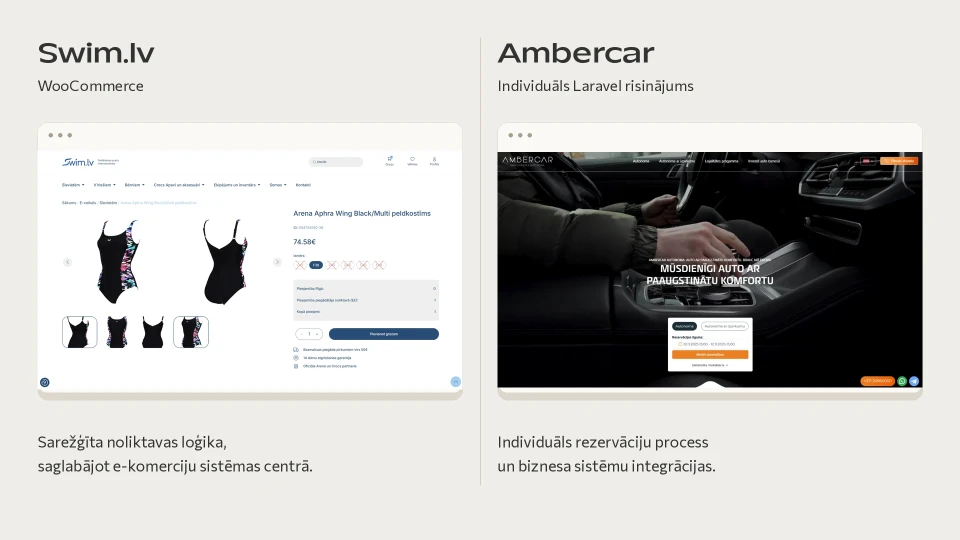
In the Swim.lv online store developed by Brandsite, a single WooCommerce solution brings together product availability information from several warehouses in Latvia and Estonia.
This example shows that multiple data sources and a more complex warehouse integration don't, by themselves, mean you need to abandon WooCommerce.
If selling products is still at the centre of the system and the WooCommerce e-commerce model fits the company's needs, the platform's advantages can be kept even in a technically more complex project.
When the buying process becomes part of a wider business system
In the Ambercar car rental project, the required functionality differed significantly from the classic online store model.
The solution had to provide real-time car availability, bookings, dynamic price calculation and data exchange with the fleet management system.
In this project, Brandsite chose custom Laravel development, building the system architecture around the car rental business processes.
In both cases, the choice of technology was driven by the company's needs, not by the popularity of a particular platform.
We take a similar approach when developing more complex web platforms where the system isn't based on a classic online store. One such example is the TenderMap web platform development.
Laravel development when your online store has already become a business system
The line between an online store and a web application isn't always clearly visible.
At first, a company may simply need to sell products online.
Over time, the system gains:
customer accounts → individual prices → partner roles → ERP → warehouses → documents → approvals → automation → external services.
As a result, the online store becomes part of the company's operating system.
This is exactly the moment to assess whether to keep expanding WooCommerce or to build the system's next development stage on a custom architecture.
In Laravel development, Brandsite builds custom web systems where the architecture, data structure, user roles and integrations are planned around the specific company's processes.
Frequently asked questions
Does a large number of products mean WooCommerce should be replaced with Laravel?
No. The number of products or orders alone is not a reason to change platforms. First, you need to assess the hosting, database, integrations, plugins and custom code.
Will Laravel always be faster than WooCommerce?
No. A custom-built system can also be slow if it has a poor architecture or insufficient infrastructure. Laravel gives more control over the system architecture, but performance depends on how the solution is built.
When should you choose Laravel instead of WooCommerce?
Laravel is worth considering when the system's main value is no longer standard e-commerce functionality, but custom business processes, complex data flows, user roles and integrations.
Can WooCommerce data be migrated to Laravel?
Yes. Depending on the project, products, customers, orders and other necessary data can be migrated. The migration plan should pay particular attention to the data structure, integrations, SEO URLs and redirects.
Can WooCommerce be integrated with ERP and CRM?
Yes. ERP and CRM integration alone is not a reason to move to Laravel. A custom solution becomes more relevant when data flows between several systems become the central part of the whole platform.
Summary
WooCommerce isn't a platform you have to abandon once a company reaches a certain number of products, visitors or orders.
A far more important question is:
is the company's system still fundamentally an online store?
If the answer is yes, WooCommerce can often continue to be developed and optimised.
If, however, e-commerce has become just one part of a much broader system with custom business logic, several user roles, complex integrations and non-standard processes, it's worth evaluating Laravel development.
The right moment to switch isn't when WooCommerce becomes "too small".
It's when the structure of a ready-made e-commerce platform starts to limit the way the company actually needs to work.
Is your WooCommerce store starting to limit your business?
You don't always need to change platforms to solve the problems of an existing system.
Brandsite helps assess WooCommerce architecture, integrations, performance and future development options, so you can understand whether it's more cost-effective to optimise the existing solution or move to a custom Laravel system.
Before deciding to build a new system, let's assess what is actually limiting your business.
Latest articles

Brandsite Nominated for the TechBehemoths Awards 2026 in Three Categories - Support Us With Your Vote
Website Development Process: From Idea to Launch

From Expert Knowledge to a Digital Product Platform: The HICE Group Case